01 / YOUR TWIN SCROLL
FOR SHOPPERS · HOW IT WORKS

See the whole store
on you.

No more guessing from a model who looks nothing like you — if you're a size 16, you see a size 16. Set up once in about ninety seconds, and every product on the store is shown on you, at your real size.

01

Spot the Mirror toggle

On any store running Virtue Mirage you'll see a Mirror toggle. Curious? Try a single piece instantly as a guest — no account. Ready? Create your Digital Twin. You're always in control.
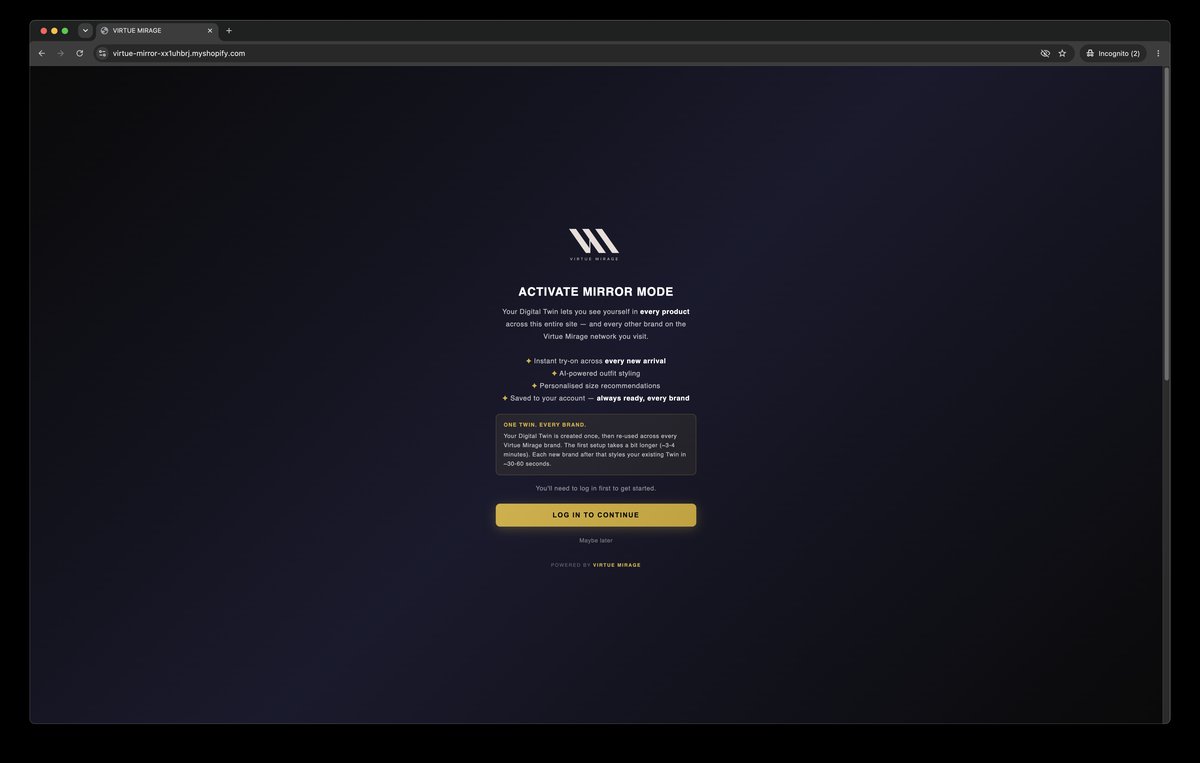
Activate Mirror Mode
02

Two photos — or just your measurements

Snap a front and side shot, or skip the camera entirely and type your measurements to build your avatar. Either way, you do it once — ever.
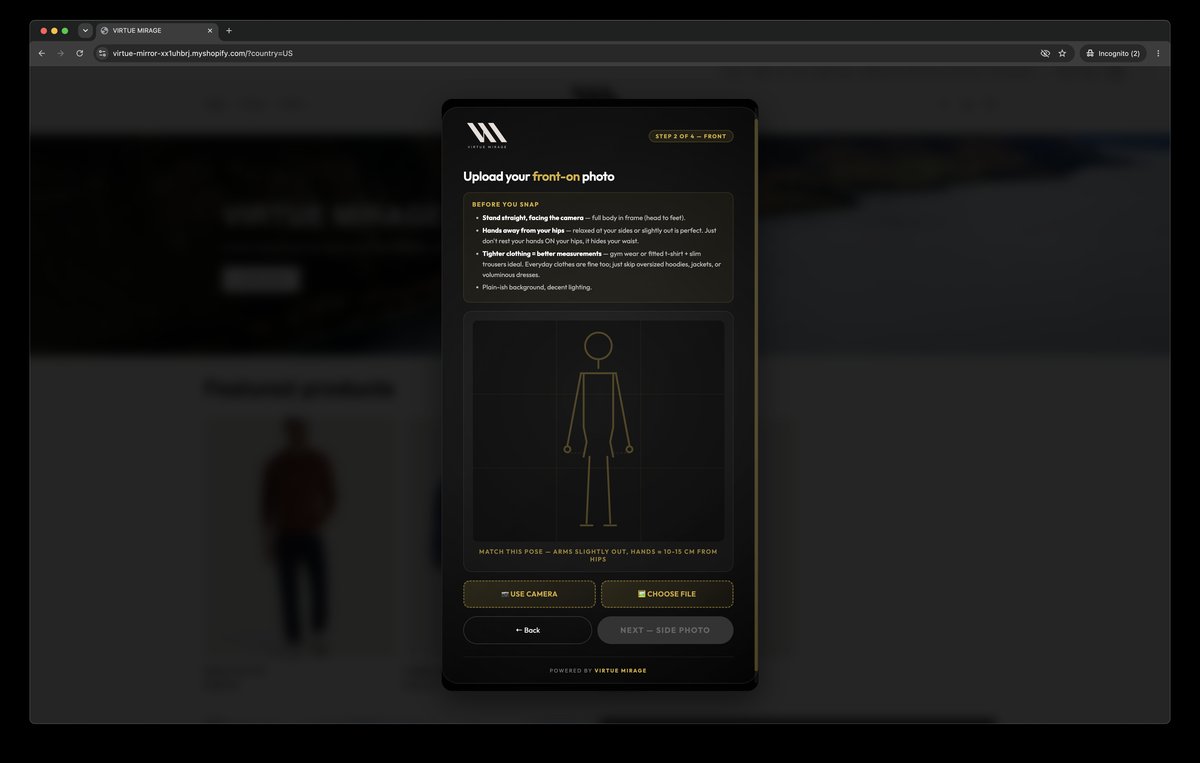
Upload two photos
03

Your measurements power your fit

Upload photos and your measurements are calculated from them; build from measurements and they're yours as typed. Either way they drive the Fit Advisor — a size recommendation on every product page.
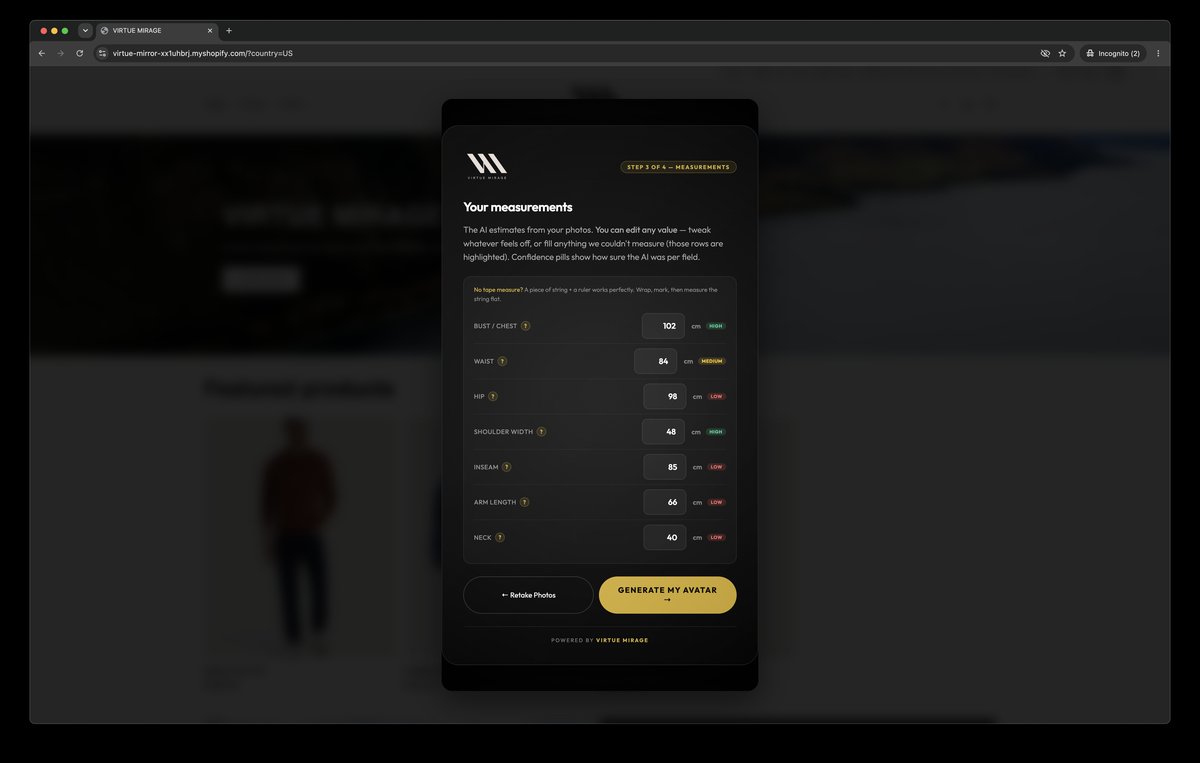
AI-calculated measurements
04

Your Twin is created — your photos deleted

We generate your avatar, then delete your original photos immediately. You're identified by a hash, not your email. Nothing biometric is ever stored.
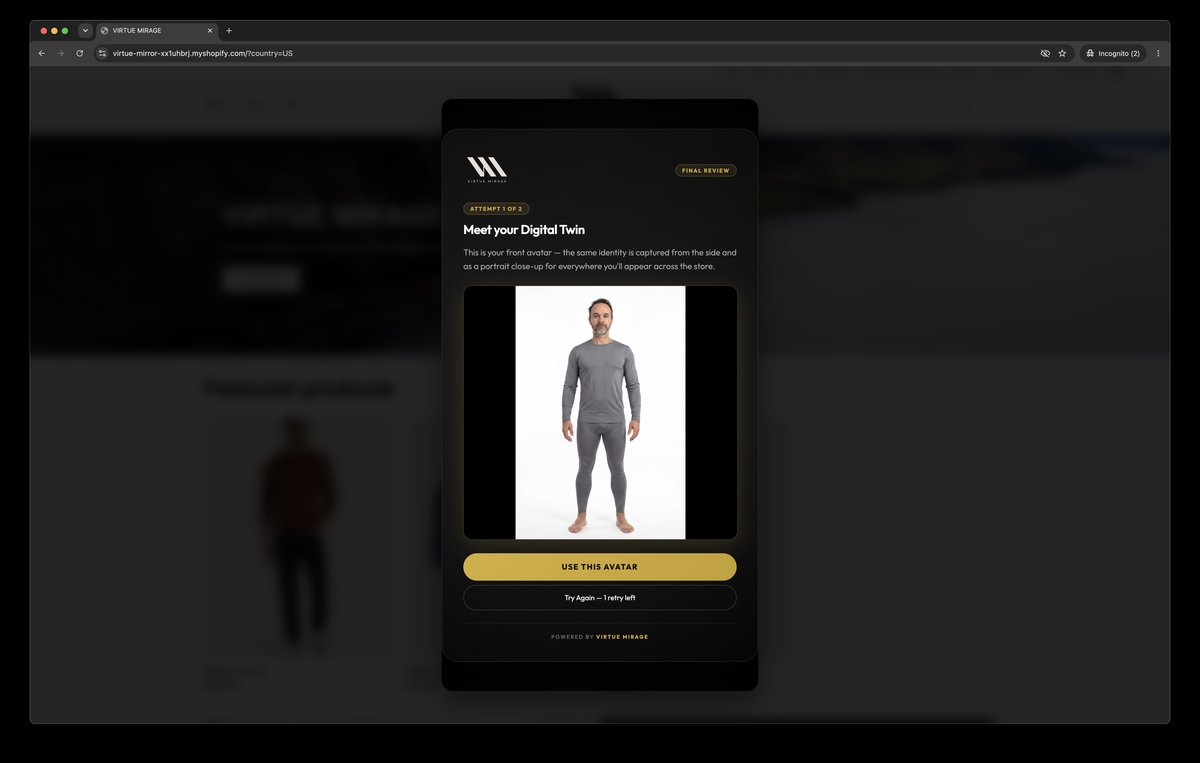
Digital Twin created
05

The whole store becomes you

Every product, collection and new drop pre-renders on your Twin in the background — you get an email when it's ready. Open the store and it's already on you, before you even log in.
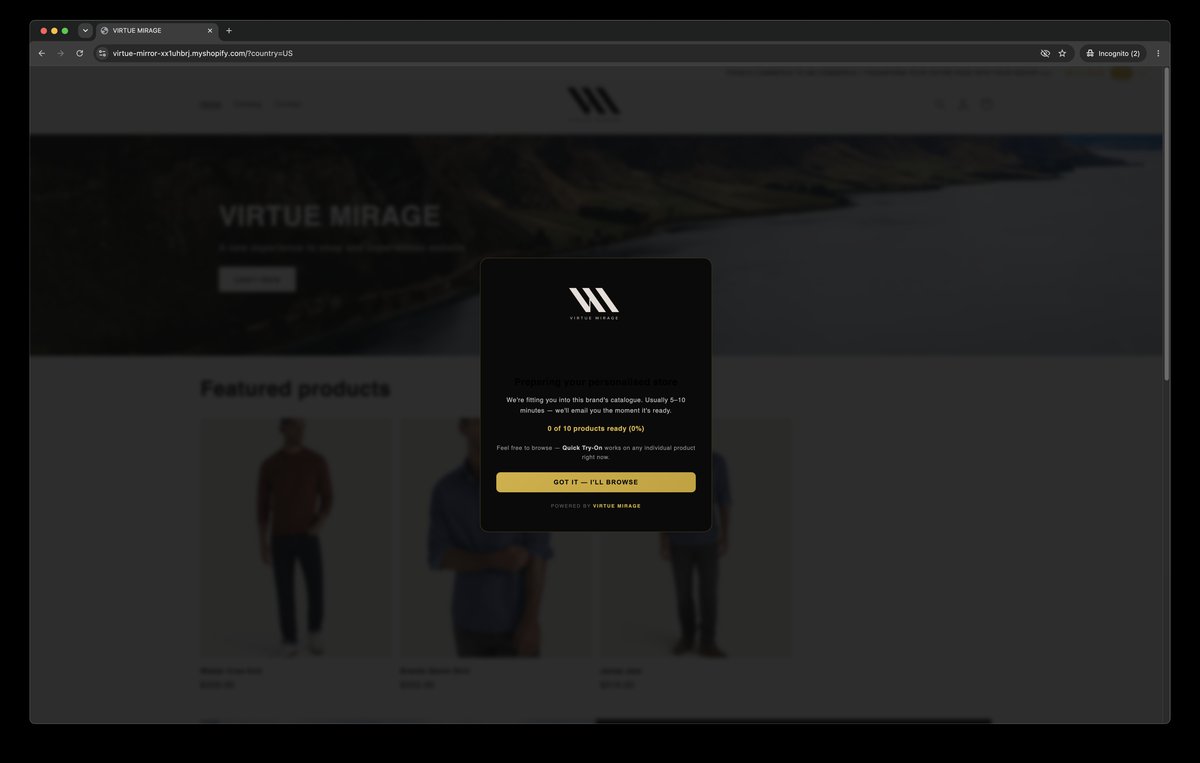
The store transforming
BEFORE YOU EVEN SIGN UP

Try it first. Find it anywhere. Ask it anything.

01

Quick try-on, no account

Curious? Try a piece on yourself as a guest before you create a Twin. No sign-up, nothing to install — see it on you and decide.

02

Found by your AI assistant

Ask ChatGPT, Claude or Gemini what to wear and, on stores in the network, they hand you a one-tap "try it on" link — straight to the piece, already on you.

03

Fit advice you can see

A size recommendation on every product page, worked out from your real measurements — and the garment shown on your body so you can see why.

ACCESSORIES, TOO

Try it with your own outfit.

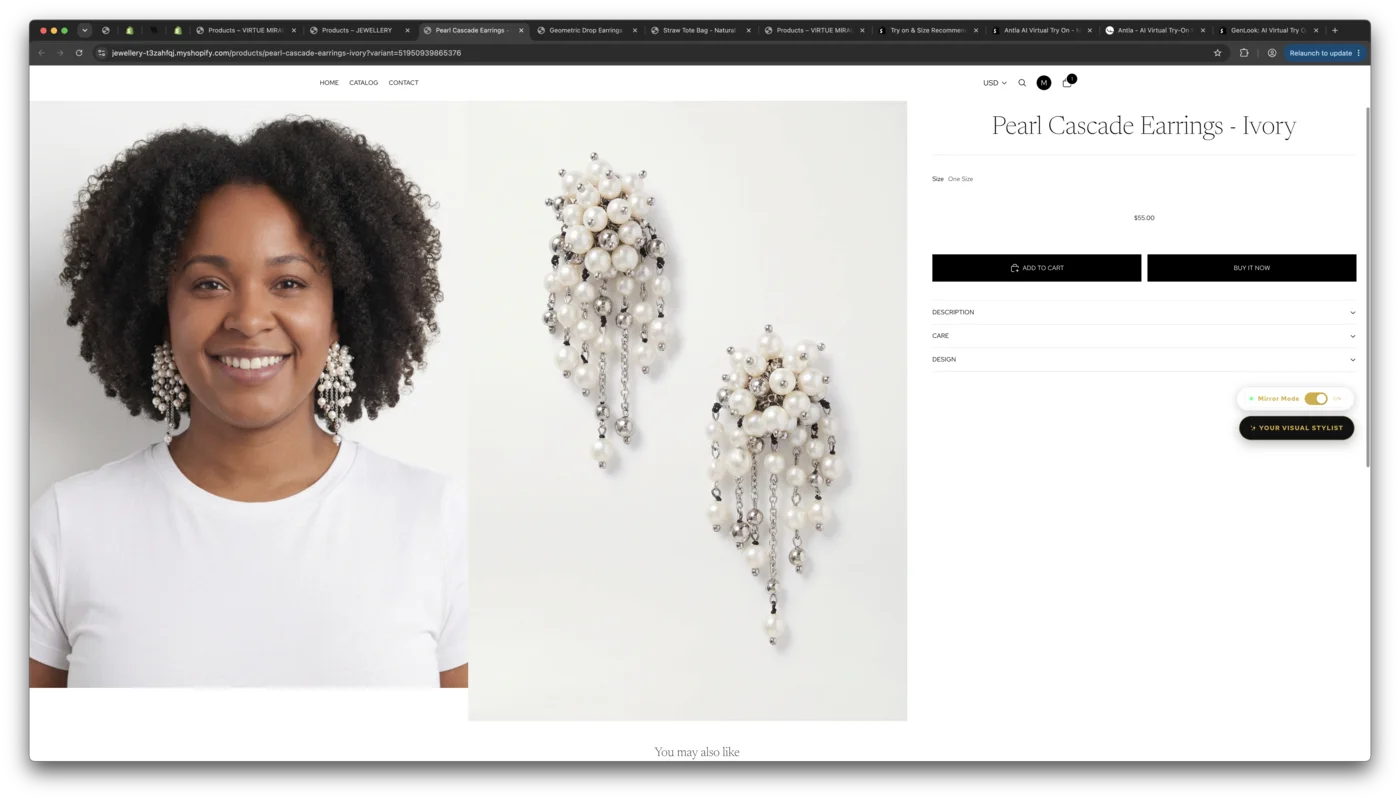
Shopping jewellery, bags or shoes? Upload a photo in your own clothes and the piece is added to you — your outfit untouched. Each category gets its own treatment: a bangle sits on the wrist, shoes replace footwear, a bag carries naturally. Mix, match and see exactly how it looks before you buy.

JewelleryBagsShoesEyewearWatchesBelts
Earrings shown on the customer, tried on with their own outfit
ALWAYS THEIR CHOICE

Mirror Mode keeps them in control.

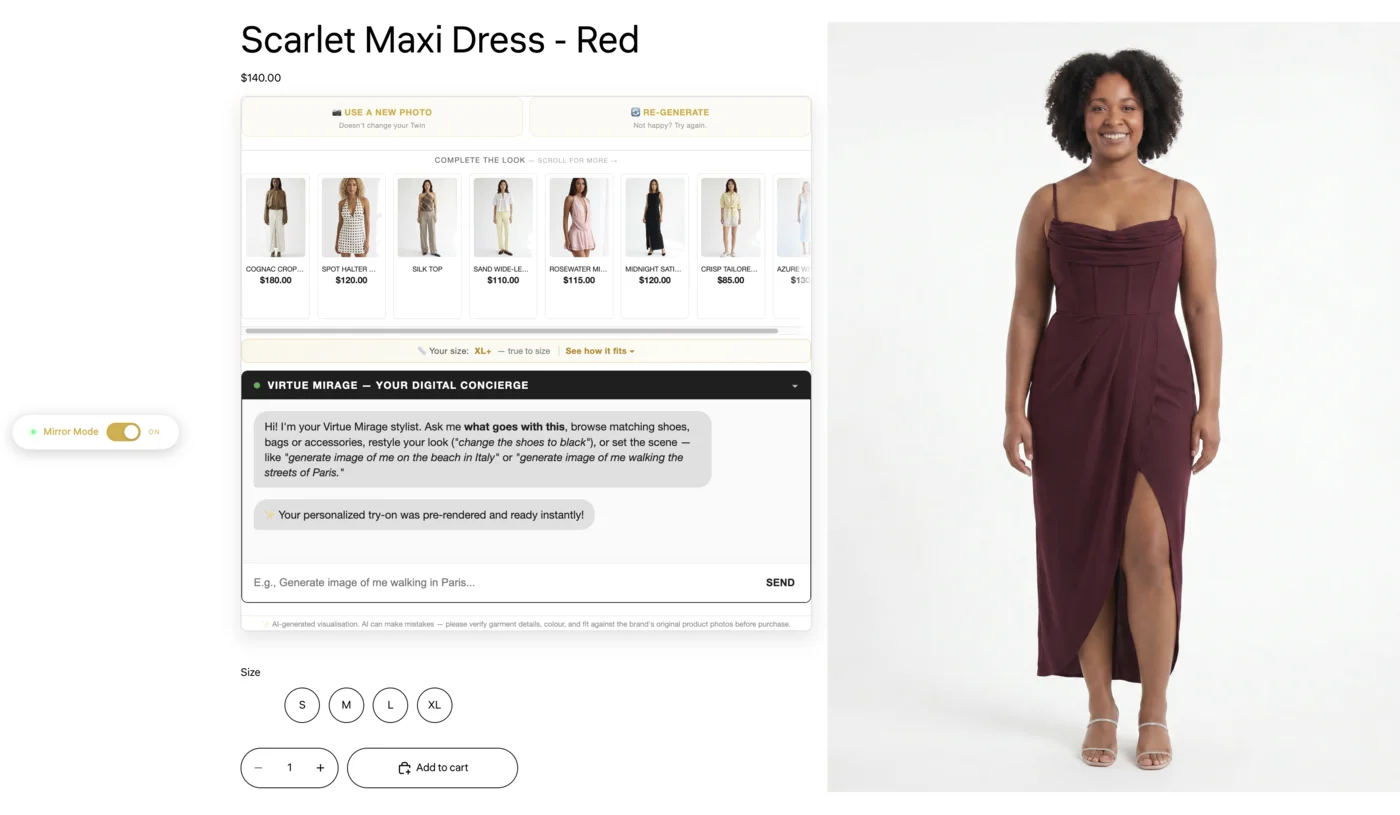
One toggle flips the entire storefront between the brand's photography and you wearing it. Switch whenever you like — see yourself, or see the campaign. Your store, your choice. No dark patterns.

A product page with the Mirror Mode toggle — the shopper flips between the brand's photography and themselves wearing the dress
THE CONCIERGE

The first visual AI Stylist Concierge.

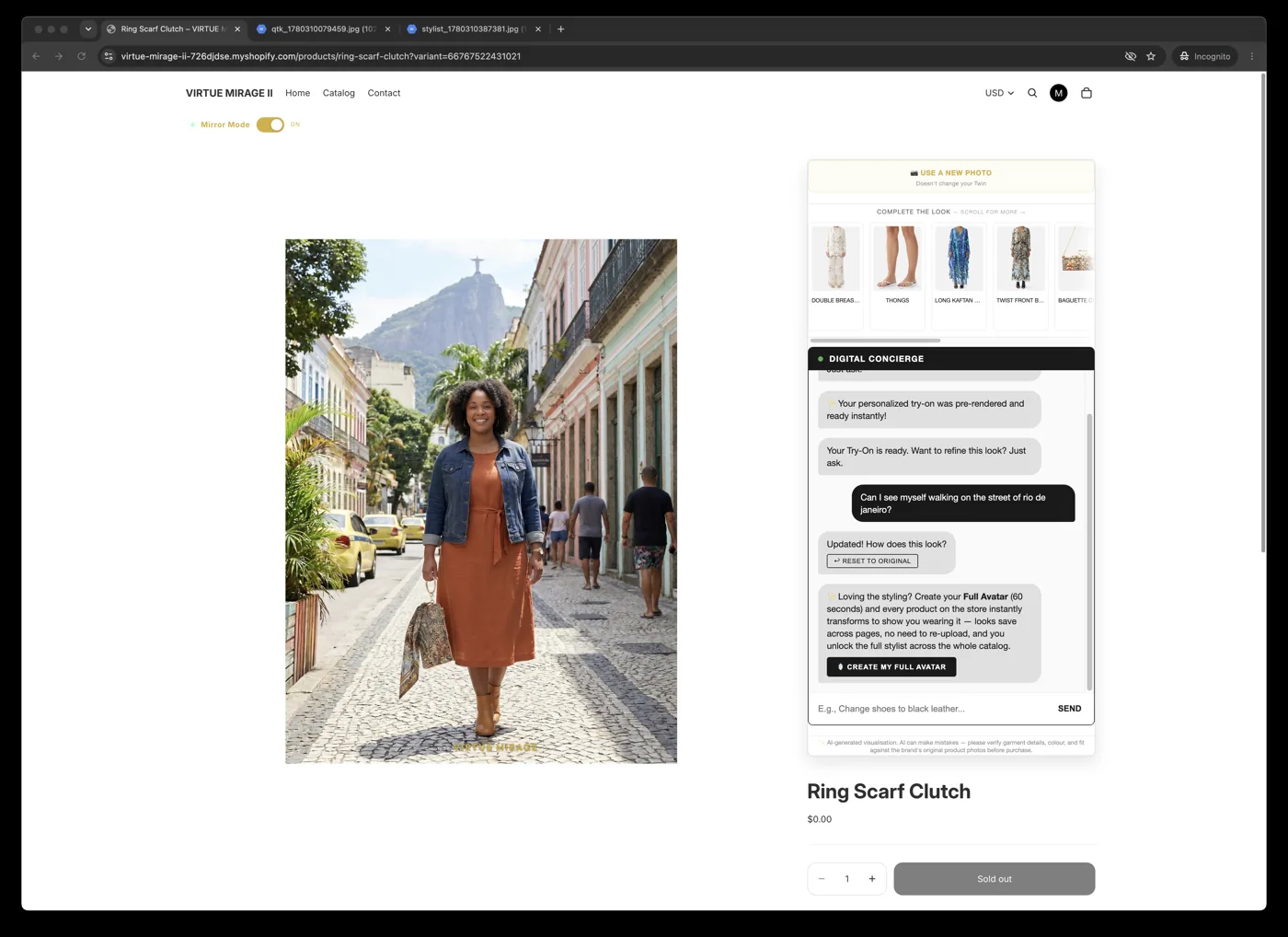
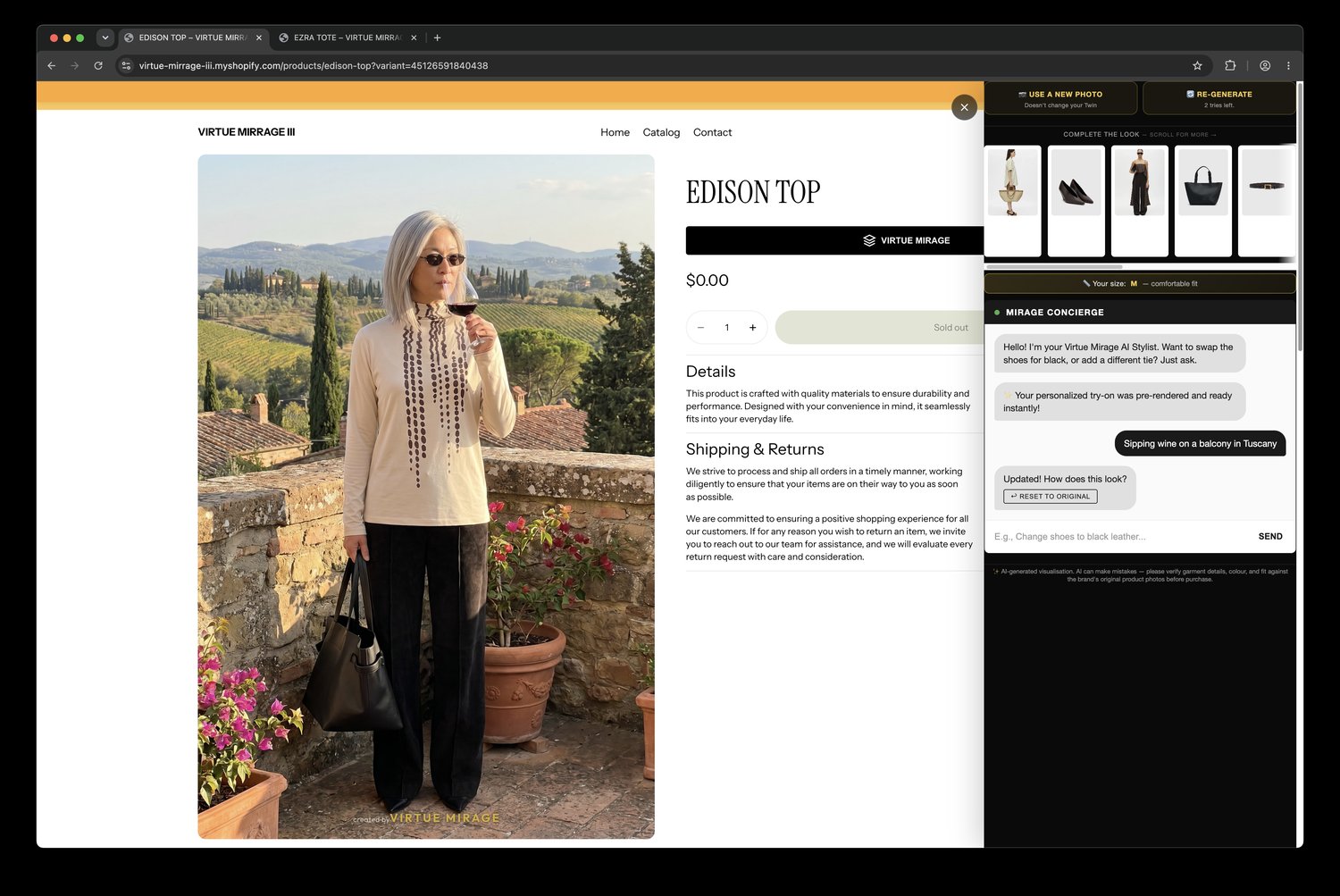
It doesn't just talk — it shows. Ask in plain language and the image updates, on them. As far as we know, it's the first stylist that answers by re-rendering the customer rather than linking a grid of products.

01

Recommend

"What goes with this?" → real products from the store, already on you — so you can see the whole look before you decide.

02

Restyle

"Roll up the sleeves", "hair in a ponytail", "show the shoes in black" — adjust how the look is worn, on your own try-on.

03

Set the scene

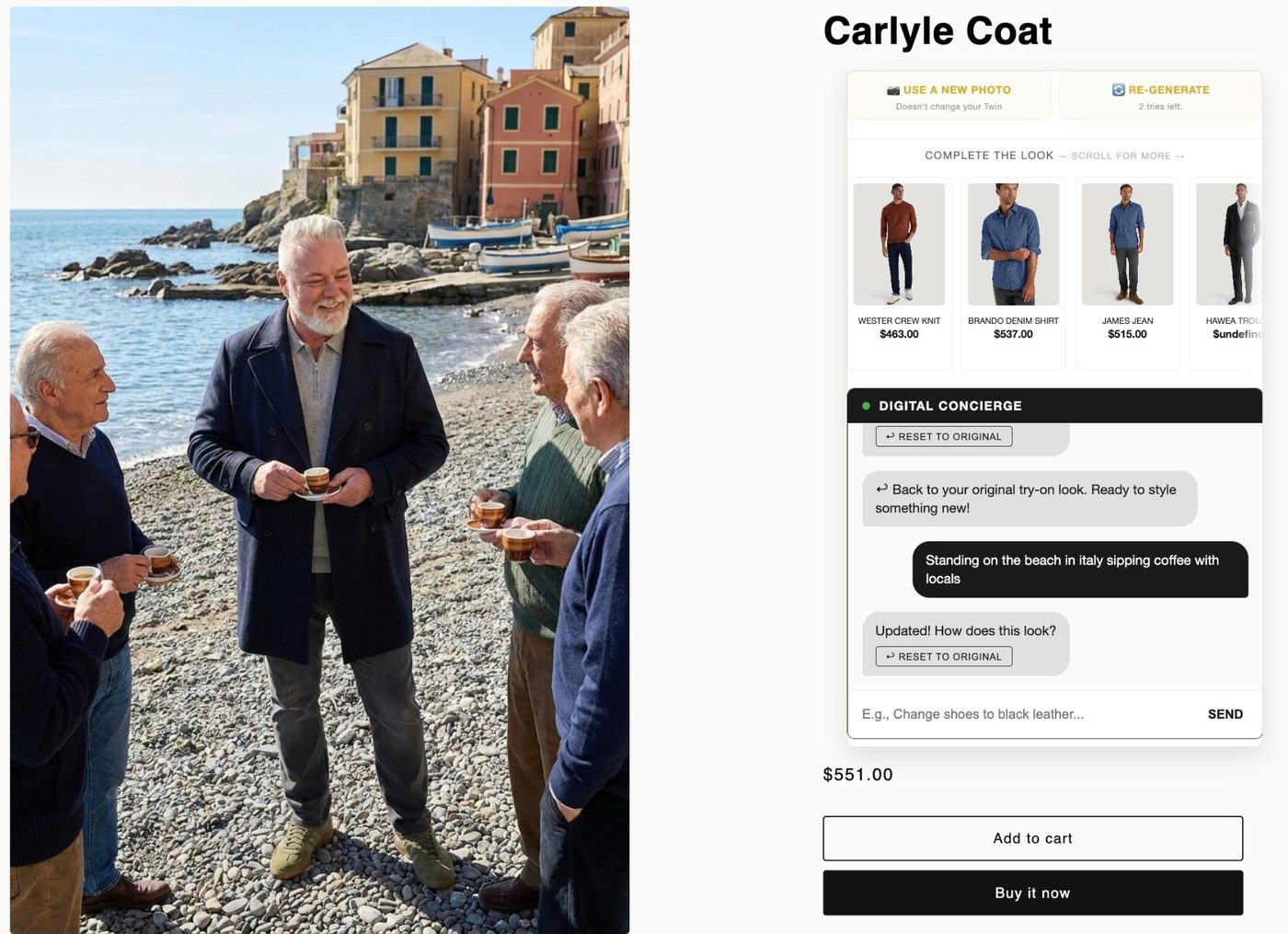
From a studio shot to the streets of Paris or a beach in Italy — you, in the clothes, anywhere you ask.

04

Close

"Add it all to cart" — the whole styled outfit, conversationally.

On a beach in Italy
SCENE 01 — BEACH, ITALY
In the city
SCENE 02 — THE CITY
Anywhere
SCENE 03 — ANYWHERE
ONE TWIN, EVERY STORE

Create it once. It travels with you.

Your Twin isn't locked to one shop. It works across every brand on the Virtue Mirage network — and it doesn't travel alone: the sizes you wear, the outfits and styles you like, and what you've already tried come with it. So the next store already knows your size and your taste.

01

Your Twin, everywhere

Build it at one brand and it's ready at the next — no re-uploading, no starting again.

02

Your sizes and style, too

Sizes worn and outfit preferences follow you, so recommendations start accurate instead of generic.

03

Your own dashboard

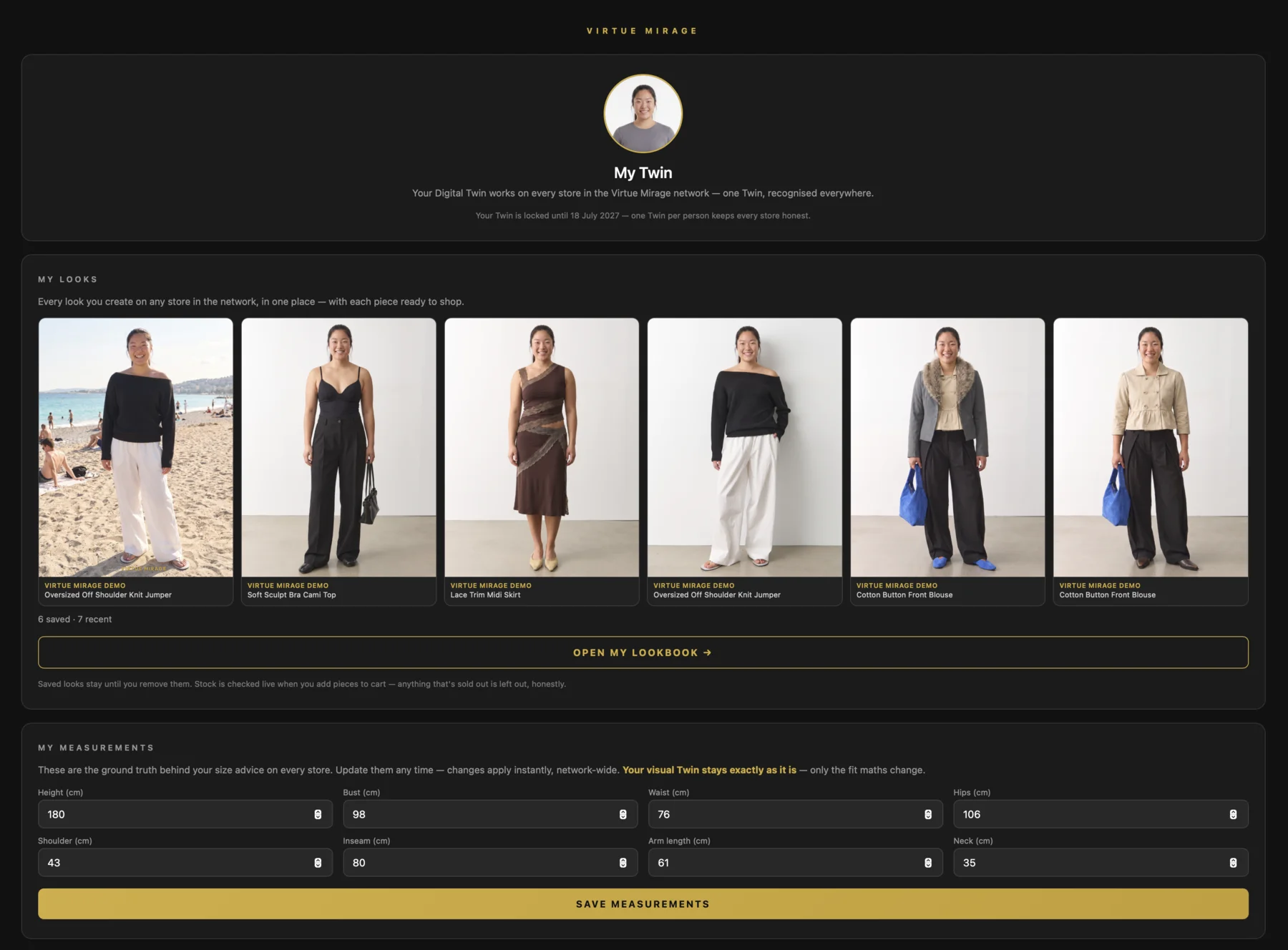
Update your measurements whenever your body changes, manage your Twin, and see the other stores on the network where it already works.

MY LOOKS

Your lookbook. Every brand, one place.

Every look you create — on any store in the network — saves to your own dashboard. Recent keeps your latest try-ons automatically; Saved keeps the ones you love, to revisit any time. Build your outfits and looks there — and when you're ready, the images take you straight back to the store: one tap puts the whole look in your cart, at your size, with each piece showing whether it's in stock right now.

Your lookbook is private to you, and it comes with your Twin wherever you shop.

Your My Twin dashboard — your Twin, your saved looks from every brand, and your measurements, all in one place
YOUR PHOTOS, YOUR CALL

Built to respect you.

01

Originals deleted

Your uploaded photos are deleted immediately after your look is created. We never store them or train AI on them.

02

You're identified by a hash

Not your email — a one-way hash of it. And you can be forgotten on request, across every brand.

03

Always your choice

Mirror Mode is a toggle. See yourself, or see the brand's photography — switch whenever you like. No dark patterns.

Want it on your favourite store?

Tell us which brand you'd love to see it on — we're rolling out across premium fashion now.

Suggest a brand